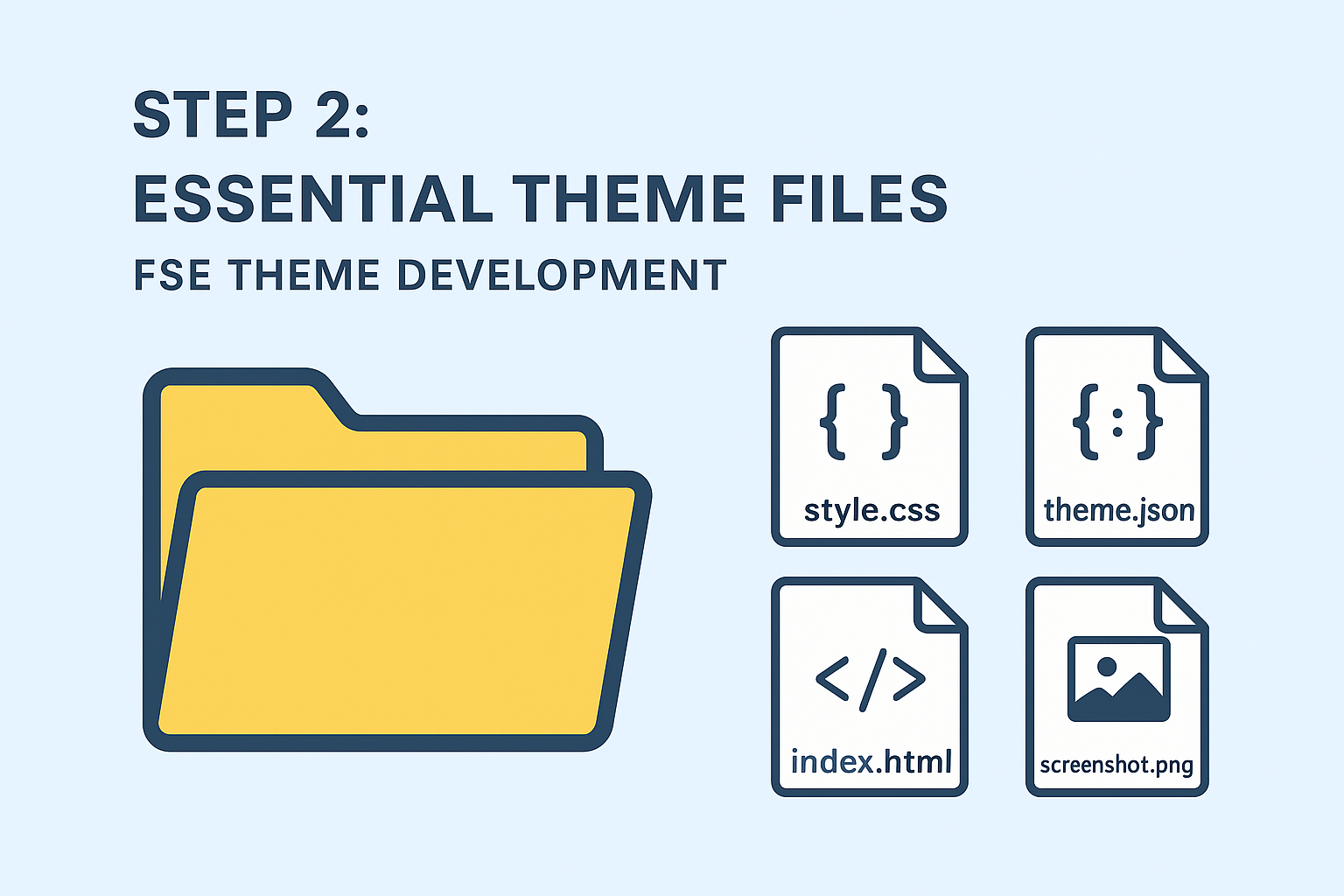
Step 2: Essential Theme Files
Create the core files required for a WordPress Full Site Editor theme using the 4WP Starter Theme* as our foundation for Personal Branding and Corporate sites.
Project Foundation:
- Base Theme: 4WP Starter Theme* – FSE starter theme built for developers
- Theme Name: 4WP Starter Theme* (customize for your project)
- Use Cases: Personal Branding Site and Corporate websites
- License: MIT License (developer-friendly)
Essential Files:
- style.css – Theme header and metadata (REQUIRED)
- theme.json – FSE configuration and design tokens (REQUIRED)
- templates/index.html – Main FSE template (REQUIRED for theme functionality)
- functions.php – Theme functionality and hooks (recommended for professional themes)
- screenshot.png – Theme preview image (1200x900px, WordPress standard)
Code Snippets:
style.css:
Plaintext
/*
Theme Name: 4WP Starter Theme
Description: Full Site Editing (FSE) starter theme for Personal Branding and Corporate sites
Version: 1.0.0
Author: 4WP Development Team
Author URI: https://github.com/4wpdev
Text Domain: 4wp-starter
Requires at least: 6.0
Tested up to: 6.4
Requires PHP: 8.0
License: MIT
License URI: https://opensource.org/licenses/MIT
Tags: full-site-editing, block-themes, personal-branding, corporate, modern

=== CUSTOMIZE FOR YOUR PROJECT ===
Theme Name: [YOUR_THEME_NAME]          // Change to your theme name
Author: [YOUR_NAME]                    // Change to your name/company
Author URI: [YOUR_WEBSITE]             // Change to your website
Text Domain: [your-theme-slug]         // Change to your theme slug (lowercase, hyphens)
Description: [YOUR_DESCRIPTION]        // Customize description
*/
templates/index.html:
Plaintext
<!-- wp:template-part {"slug":"header","tagName":"header"} /-->

<!-- wp:group {"tagName":"main"} -->
<div class="wp-block-group">
    <!-- wp:query {"queryId":42,"query":{"perPage":10,"pages":0,"offset":0,"postType":"post","order":"desc","orderBy":"date","author":"","search":"","exclude":[],"sticky":"","inherit":true}} -->
    <div class="wp-block-query">
        <!-- wp:post-template -->
            <!-- wp:post-title {"isLink":true} /-->
            <!-- wp:post-content /-->
            <!-- wp:post-date /-->
        <!-- /wp:post-template -->

        <!-- wp:query-pagination -->
        <div class="wp-block-query-pagination">
            <!-- wp:query-pagination-previous /-->
            <!-- wp:query-pagination-numbers /-->
            <!-- wp:query-pagination-next /-->
        </div>
        <!-- /wp:query-pagination -->
    </div>
    <!-- /wp:query -->
</div>
<!-- /wp:group -->

<!-- wp:template-part {"slug":"footer","tagName":"footer"} /-->
functions.php:
Php
<?php
/**
 * 4WP Starter Theme Functions  // CUSTOMIZE: Change to YourThemeName
 *
 * @package 4WPStarterTheme    // CUSTOMIZE: Change to YourThemePackage
 * @since 1.0.0
 */

// Prevent direct access
if ( ! defined( 'ABSPATH' ) ) {
    exit;
}

/**
 * Theme setup
 * CUSTOMIZE: Rename function prefix 'fourwp_' to 'yourtheme_'
 */
function fourwp_theme_setup() {    // CUSTOMIZE: yourtheme_theme_setup()
    // Add theme support for various features
    add_theme_support( 'post-thumbnails' );
    add_theme_support( 'title-tag' );
    add_theme_support( 'custom-logo' );
    add_theme_support( 'editor-styles' );

    // CUSTOMIZE: Change text domain to match your theme
    load_theme_textdomain( '4wp-starter', get_template_directory() . '/languages' );
    //                      ^^^^^^^^^^^^ Change this to your-theme-slug
}
add_action( 'after_setup_theme', 'fourwp_theme_setup' );    // CUSTOMIZE: Update function name

/**
 * Enqueue theme assets
 * CUSTOMIZE: Rename function prefix 'fourwp_' to 'yourtheme_'
 */
function fourwp_enqueue_assets() {    // CUSTOMIZE: yourtheme_enqueue_assets()
    // CUSTOMIZE: Change handle and text domain
    wp_enqueue_style(
        '4wp-starter-style',    // CUSTOMIZE: 'your-theme-style'
        get_stylesheet_uri(),
        array(),
        wp_get_theme()->get( 'Version' )
    );

    // Enqueue block editor styles
    add_editor_style( 'assets/css/editor-styles.css' );
}
add_action( 'wp_enqueue_scripts', 'fourwp_enqueue_assets' );    // CUSTOMIZE: Update function name

/**
 * Add support for Personal Branding features
 * CUSTOMIZE: Rename function prefix 'fourwp_' to 'yourtheme_'
 */
function fourwp_personal_branding_setup() {    // CUSTOMIZE: yourtheme_personal_branding_setup()
    // Add support for custom header
    add_theme_support( 'custom-header', array(
        'default-image'      => '',
        'width'              => 1920,
        'height'             => 1080,
        'flex-height'        => true,
        'flex-width'         => true,
    ) );

    // Add support for custom background
    add_theme_support( 'custom-background', array(
        'default-color' => 'ffffff',
    ) );
}
add_action( 'after_setup_theme', 'fourwp_personal_branding_setup' );

// ✨ More exciting stuff coming in the next steps... ?
WordPress FSE Standards:
- ✅ No closing PHP tag: WordPress standard – prevents whitespace output issues
- ✅ ABSPATH check: Security protection against direct file access
- ✅ Function prefixes: Prevent naming conflicts with other themes/plugins
- ✅ Proper documentation: PHPDoc comments for all functions
- ✅ Hook usage: WordPress action/filter hooks for proper integration
- ✅ Block theme tags: Use ‘full-site-editing’, ‘block-themes’ in style.css
FSE vs Classic Themes:
- ✅ HTML templates required: Use templates/index.html as main template
- ✅ theme.json required: Central configuration for design tokens and settings
- ✅ Template parts: Use /template-parts/ for reusable components
- ✅ Block patterns: Use /patterns/ for pre-designed content layouts
- ✅ Query blocks: Use wp:query for dynamic content loops
Customization Checklist:
- ✅ Theme Name: Change “4WP Starter Theme*” to your theme name
- ✅ Author Info: Update author name and website URL
- ✅ Text Domain: Change “4wp-starter” to “your-theme-slug”
- ✅ Function Prefix: Replace “fourwp_” with “yourtheme_” throughout
- ✅ Package Name: Update @package from “4WPStarterTheme” to “YourThemePackage”
- ✅ Handle Names: Change CSS/JS handles to match your theme
- ✅ Description: Customize theme description and tags
Professional Theme Screenshot
screenshot.png is essential for professional theme presentation:
- Dimensions: 1200×900 pixels (4:3 ratio)
- File format: PNG (recommended) or JPG
- Content: Show Personal Branding or Corporate layout preview
- Quality: High-resolution, clean design showcase
- File size: Keep under 1MB for performance
- Design focus: Highlight FSE capabilities and modern design
What This Creates:
- 4WP Starter Theme* foundation with MIT license
- Personal Branding and Corporate site capabilities
- Pure FSE theme structure with HTML templates
- Modern WordPress 6.0+ development approach
- Professional theme presentation with screenshot
- Developer-friendly codebase structure
- Standards-compliant FSE theme architecture
GitHub Integration:
The 4WP Starter Theme* repository (? under development – use your own theme name for production) provides:
- Version control: Git-based development workflow
- Collaboration: Issues, pull requests, and community contributions
- Documentation: README.md with setup instructions
- Licensing: Clear MIT license for commercial and personal use
- Updates: Regular improvements and WordPress compatibility updates
Next Step:
Configure Composer for dependency management and modern PHP development practices with the 4WP Starter Theme* foundation.
Completed Step:
* 4WP Starter Theme – Use your own theme name for production projects. This is an educational foundation for learning WordPress FSE development.
Resources & References
- Full Course on GitHub: https://github.com/4wpdev/4wp-course-fse-theme-development
- Theme Code on GitHub: https://github.com/4wpdev/4wp-starter-theme
- Course for WordPress developers: https://4wp.local/course/fse-theme-development/
- Author Fullstack WordPress developer: https://anatoliy.dovgun.com/