
Smart FAQ Management
4WP FAQ
Not just another FAQ block. A smart wrapper that adds intelligence
without breaking your design.
Why not just another FAQ block?
How to convert Accordion to FAQ?
Where to preview Schema JSON-LD?
Documentation
Everything you need to know about 4WP-FAQ
What is 4WP-FAQ?
A smart wrapper around WordPress core Accordion that adds intelligence without breaking design. It adds Schema JSON-LD, aggregation, and usage context while working on top of existing content with zero duplication.
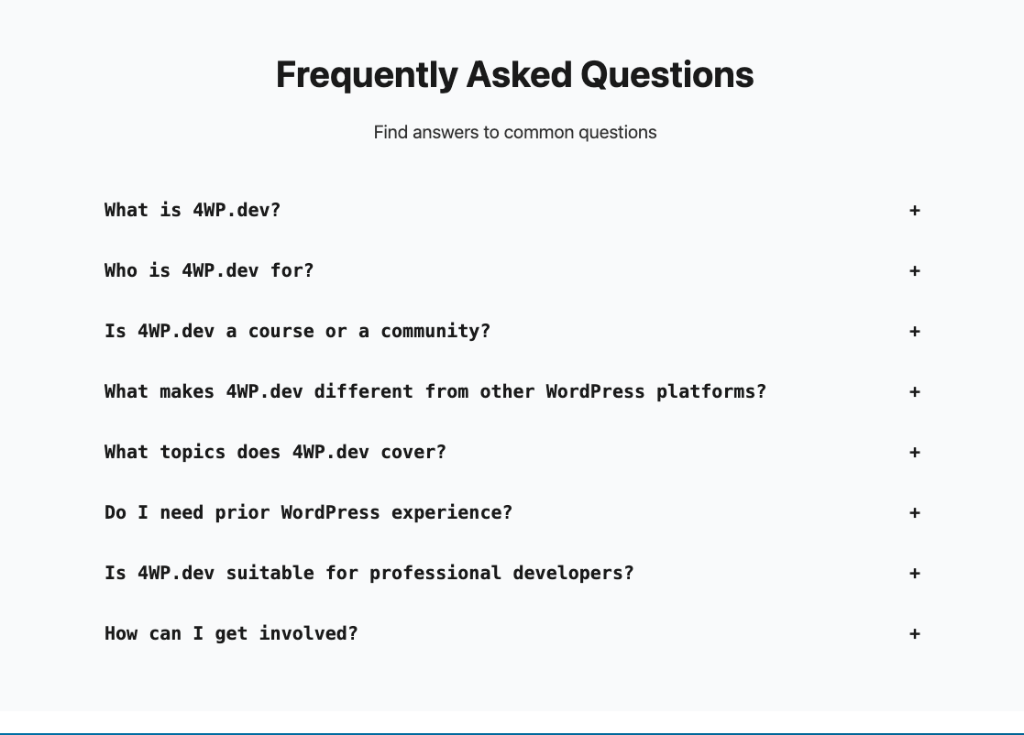
Why not just another FAQ block?
Because the source of truth is your actual content pages. We do not create duplicates – we read facts from real pages. This gives transparent insight into where questions live, in which posts, and in what versions.
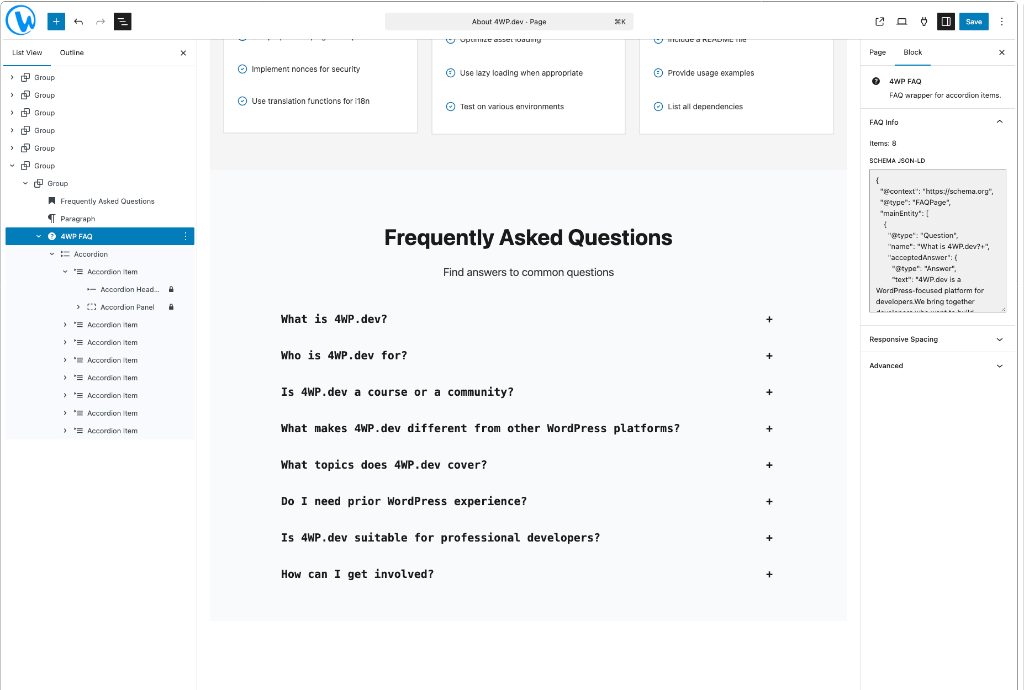
How to convert Accordion to FAQ?
Add core Accordion (or item) → Click “Convert to FAQ” → Plugin wraps it in forwp/faq without changing appearance.
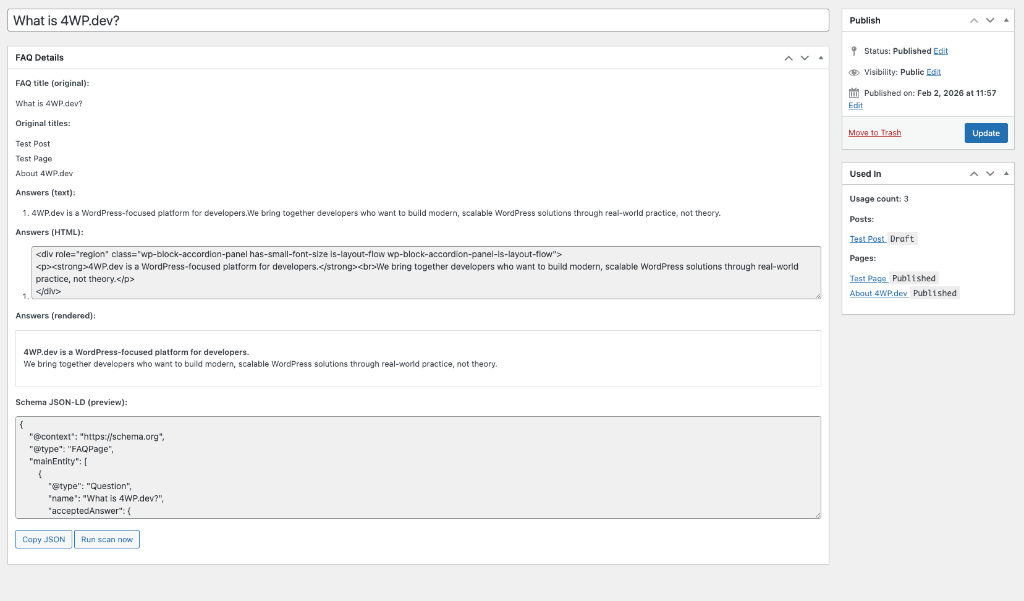
Where to preview Schema JSON-LD?
In the FAQ-CPT page metabox, there is a JSON-LD preview. Copy it with one click. It represents what the plugin generates on the frontend.
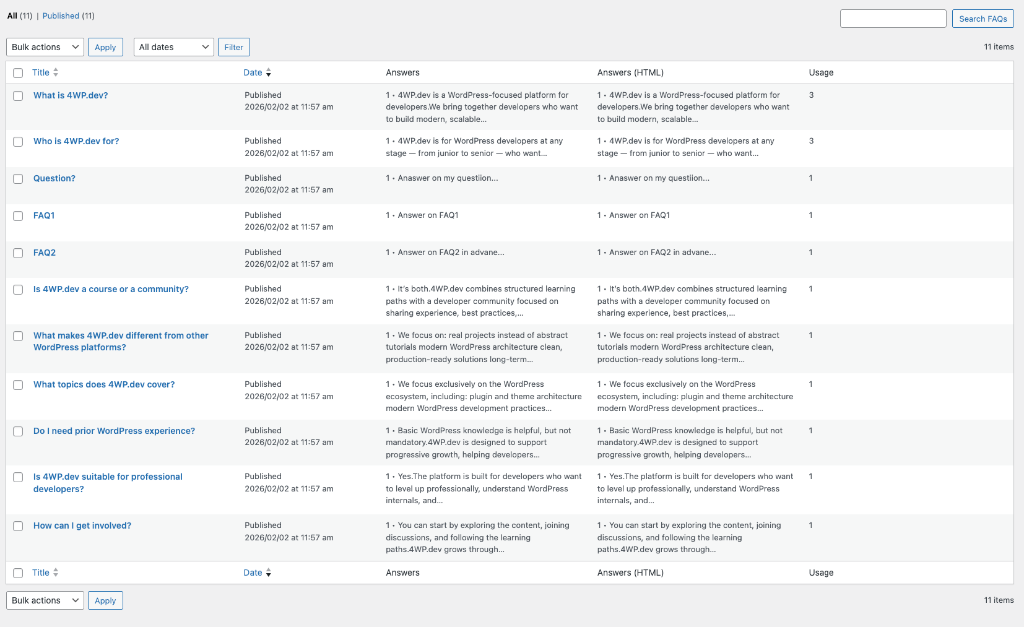
How does the plugin find FAQ items?
It scans all posts looking for forwp/faq wrapper. Inside, it takes Accordion items/Details blocks and extracts: question, answer, post_id, post_type, and permalink.
Are drafts included?
Yes, drafts are also scanned and shown as sources. Status is visible in the “Used in” list.
Questions from 4WP.dev About
- What is 4WP.dev? Platform for WordPress developers with docs, courses, patterns.
- How do I start learning? Start with Knowledge Base, pick a path, move to courses.
- Is the content free? Most content is free, some advanced courses may require subscription.
How to reuse questions?
When a question already exists, it can be automatically inserted into a new page. This speeds up work and maintains content consistency.
How to track expansions?
Potential next stage: click tracking. It gives understanding of which questions are actually “live”.
Why Different
Three core principles that set it apart
Smart Layer
Adds JSON-LD, aggregation & context without touching design.
Single Source
Real questions from actual content, zero duplication.
Scalable
Reuse, analytics, tracking – built for growth.
Timeline
From today to unlimited possibilities
What it is now
- Wrapper over core Accordion
- Schema JSON-LD generation
- Aggregates all FAQ blocks
What it gives today
- Single base of real Q&A
- Transparent usage map
- Quick verification
Unlimited future
- Question reuse system
- Real usage statistics
- Click/expansion tracking

Don’t be afraid to do more than your client expects — do what their customers actually need.
Anatoliy Dovgun
Author & Creator
Summary
4WP-FAQ is not just another FAQ block — it is a smart wrapper around core Accordion.
Short and clear: we do not break anything, do not change design, and do not touch the base block structure. We just add a smart layer on top.
The idea is simple yet scalable: content is the source of truth. The plugin just captures facts, aggregates, and opens data for analysis, clear understanding, reusing common questions, and integrating with other services.
Ready to get started?
Check out the plugin on GitHub and start using it today.