
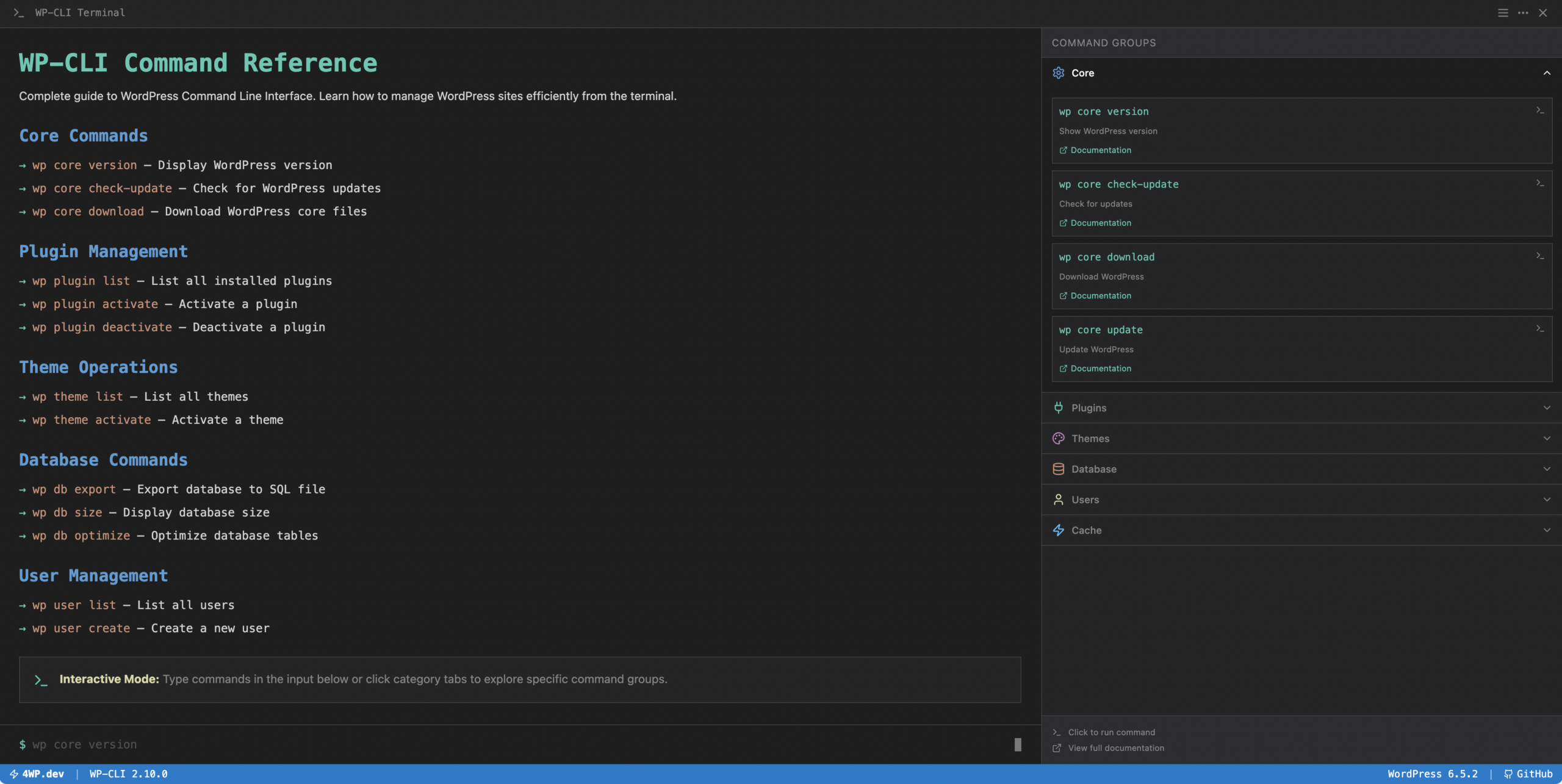
WordPress development doesn’t stop in the browser.
For serious WordPress engineering — automation, deployments, large-scale infrastructure, and enterprise workflows — the command line becomes essential. This is where WP-CLI changes everything.
WP-CLI is the official command-line interface for WordPress. It allows developers to manage installations, plugins, themes, databases, users, multisite networks, and deployments directly from the terminal.
Instead of clicking through the admin panel, developers can run a single command and perform operations across hundreds or even thousands of WordPress installations.
For modern WordPress development — especially in enterprise environments, CI/CD pipelines, DevOps workflows, and large multisite networks — WP-CLI is a critical tool.
Why WP-CLI Matters for Modern WordPress Development
Traditional WordPress management relies on the admin interface. While convenient, it becomes inefficient when dealing with:
- large infrastructure
- automated deployments
- CI/CD pipelines
- staging environments
- multisite networks
- bulk operations across many sites
WP-CLI solves these problems by allowing developers to script WordPress operations.
Common use cases include:
- automated deployments
- bulk plugin updates
- database migrations
- content imports
- multisite management
- cache flushing
- cron execution
- environment setup
- user management
- performance testing
- debugging
A task that normally takes minutes in the admin UI can often be executed in seconds with a single command.
WP-CLI in Enterprise WordPress Environments
On enterprise projects, WordPress is rarely a single installation.
Large companies often operate:
- hundreds of WordPress sites
- global multisite networks
- complex staging environments
- containerized deployments
- infrastructure managed through CI/CD
In such environments, manual administration becomes impossible.
WP-CLI allows teams to:
- automate deployments
- run commands across entire server clusters
- synchronize environments
- maintain consistency across installations
- integrate WordPress into DevOps workflows
Many modern WordPress hosting platforms internally rely on WP-CLI to power their infrastructure.
Core Areas of WP-CLI
WP-CLI covers almost every aspect of WordPress management.
Below are the main command categories developers work with daily.
Core Management
Core commands allow developers to install, update, and maintain WordPress itself.
Typical operations include:
- downloading WordPress
- installing WordPress
- updating WordPress core
- verifying core integrity
- managing language packs
Examples of common tasks:
- installing WordPress from the terminal
- updating multiple sites at once
- verifying corrupted core files
This is especially useful in automated server provisioning.
Plugin Management
Managing plugins through WP-CLI is significantly faster than through the admin panel.
Developers can:
- install plugins
- activate or deactivate plugins
- update plugins in bulk
- remove plugins
- check plugin status
For example, updating plugins across a network of sites can be done in seconds.
This becomes essential when managing large WordPress infrastructures.
Theme Management
WP-CLI also simplifies theme operations.
Developers can:
- install themes
- activate themes
- update themes
- delete unused themes
- manage theme options
This is particularly useful when deploying standardized themes across multiple installations.
Database Operations
Database management is another powerful area of WP-CLI.
Developers can:
- export databases
- import databases
- optimize tables
- reset installations
- run search-replace operations
The search-replace command is especially valuable when migrating WordPress sites between environments.
It correctly handles serialized data — something that traditional SQL replacements often break.
User Management
WP-CLI allows developers to manage WordPress users directly from the terminal.
Operations include:
- creating users
- deleting users
- updating user roles
- resetting passwords
- listing users
This is helpful when managing large editorial teams or enterprise platforms.
Multisite Management
One of the most powerful WP-CLI capabilities is multisite administration.
Large organizations often run WordPress Multisite networks with hundreds or thousands of sites.
WP-CLI allows developers to:
- create new sites
- delete sites
- manage site options
- activate plugins network-wide
- run commands across all sites
For example, a developer can update plugins across an entire network with a single command.
This dramatically reduces operational complexity.
Content Management
WP-CLI can also manage WordPress content.
Developers can:
- create posts
- import content
- update metadata
- bulk modify posts
- manage taxonomies
This is particularly useful for data migrations, content imports, and automated publishing workflows.
Media Management
Media libraries can grow very large on enterprise sites.
WP-CLI helps automate operations such as:
- regenerating thumbnails
- importing media files
- cleaning unused media
- managing attachments
These commands are often used in performance optimization workflows.
Cron and Scheduled Tasks
WordPress uses a pseudo-cron system to run scheduled tasks.
WP-CLI allows developers to:
- trigger cron events manually
- list scheduled tasks
- debug cron jobs
This is extremely helpful when diagnosing background process issues.
Cache and Performance Tools
Many hosting providers integrate WP-CLI with their caching layers.
Developers can:
- flush caches
- warm caches
- rebuild indexes
- clear object cache
These operations are frequently used in deployment pipelines.
WP-CLI and Automation
The real power of WP-CLI appears when it is used with automation tools.
Developers commonly combine WP-CLI with:
- Bash scripts
- CI/CD pipelines
- Docker containers
- GitHub Actions
- deployment tools
- server orchestration systems
For example:
- deploy code
- run database migrations
- update plugins
- flush cache
- warm cache
- run cron jobs
All automatically.
This allows teams to build fully automated WordPress deployment pipelines.
WP-CLI for Large WordPress Infrastructures
On large platforms, WP-CLI is often used to manage:
- multisite networks
- SaaS WordPress platforms
- agency infrastructure
- enterprise publishing systems
- high-traffic media platforms
Examples include:
- updating plugins on hundreds of sites
- synchronizing configuration across environments
- bulk content operations
- automated environment provisioning
Without WP-CLI, these tasks would require significant manual work.
WP-CLI for WordPress Developers
For developers, WP-CLI is not just a management tool — it becomes part of the development workflow.
Common developer use cases include:
- generating test content
- debugging WordPress environments
- resetting local environments
- running automated setup scripts
- managing staging environments
Many developers also create custom WP-CLI commands inside their plugins and projects.
This allows them to expose internal functionality directly to the command line.
Future: Interactive WP-CLI Playground
This section of 4wp.dev will soon include an interactive WP-CLI playground.
Developers will be able to:
- experiment with commands
- test real WP-CLI workflows
- explore command structures
- simulate real WordPress environments
The goal is to make WP-CLI learning more practical and developer-focused.
Conclusion
WP-CLI is one of the most powerful tools in the WordPress ecosystem.
It transforms WordPress from a traditional CMS into a fully scriptable platform capable of running at enterprise scale.
For developers managing modern WordPress infrastructure, WP-CLI enables:
- automation
- scalability
- repeatable workflows
- faster deployments
- efficient multisite management
Whether you are managing a single project or hundreds of WordPress installations, mastering WP-CLI is a key skill for professional WordPress development.