Introduction
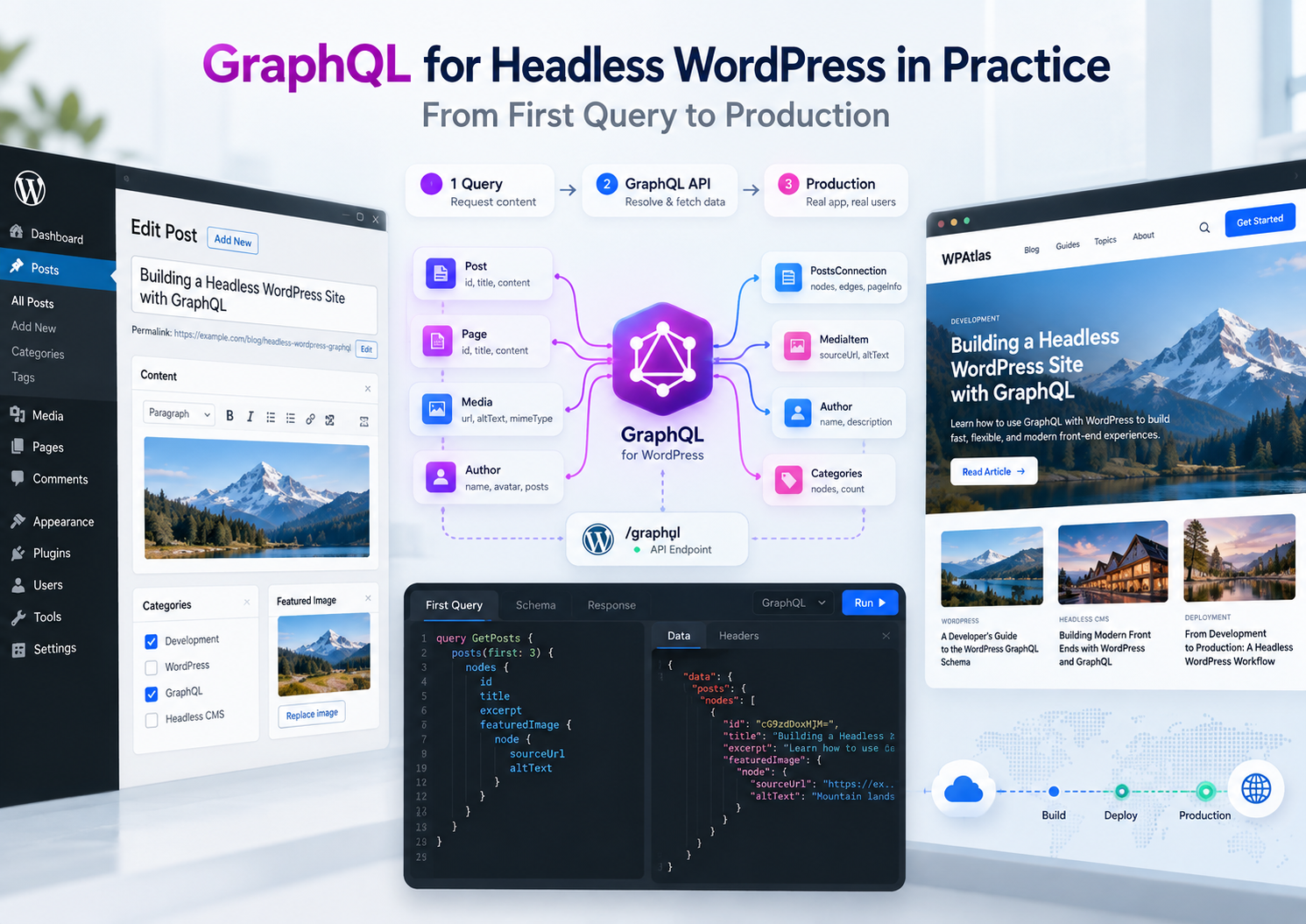
The GraphQL overview covered why WPGraphQL is attractive for headless WordPress and where it bites. This piece is the practical half: one small build, step by step, from the first query to a setup you can put in production.
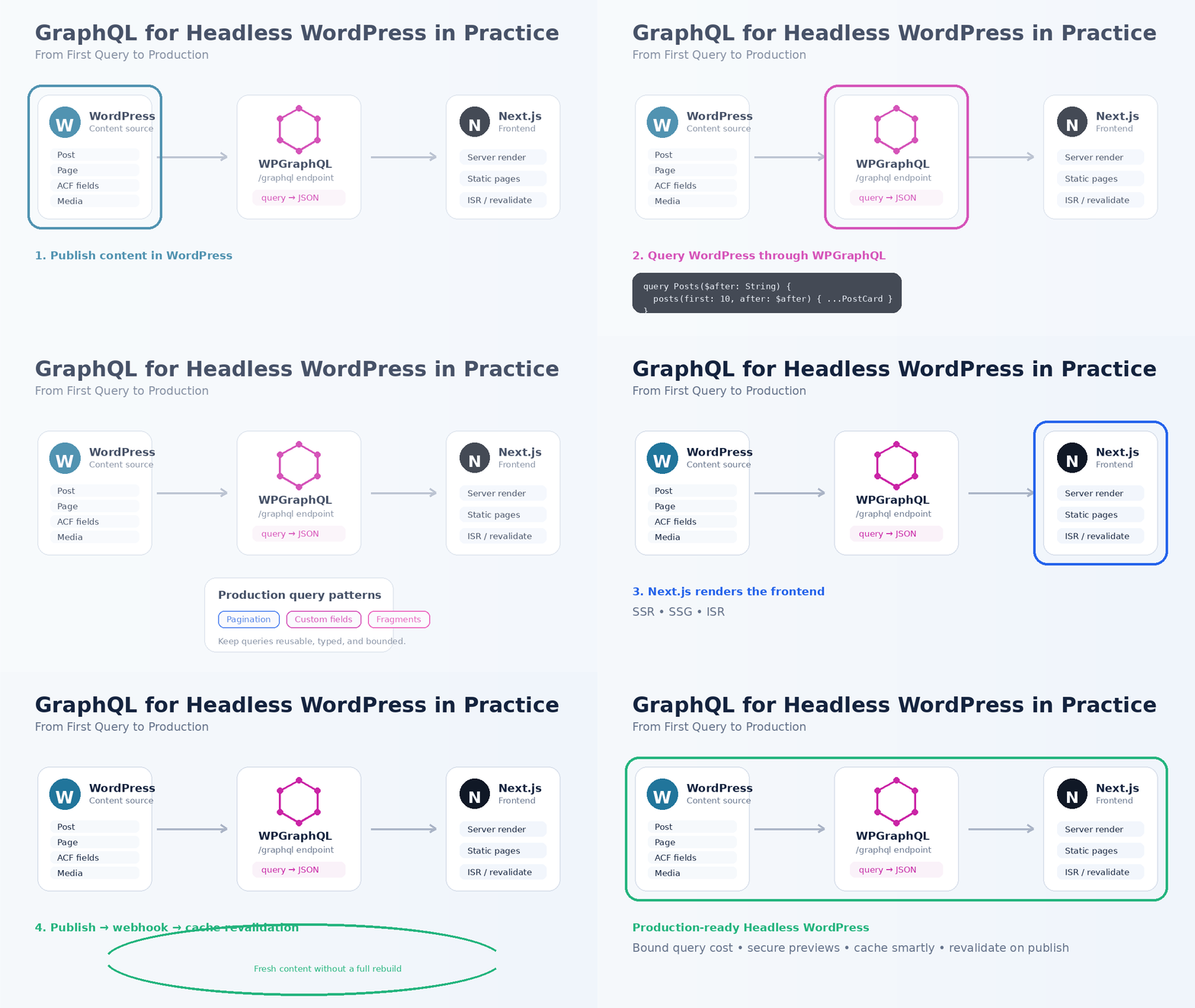
What we build: a blog frontend on Next.js (App Router) that reads posts from WordPress through WPGraphQL. A paginated list, a single post page, one custom field, shared fragments, production limits, and cache revalidation when an editor publishes.
The Setup
- WordPress with WPGraphQL installed. The endpoint is
https://cms.example.com/graphql. - WPGraphQL for ACF only if you expose ACF fields. Not needed for this walkthrough.
- WPGraphQL Smart Cache for persisted queries and cache invalidation (step 5 and 6).
- Next.js with the App Router. No GraphQL client library: server components and
fetchare enough.
One helper does all requests. It sends queries as GET, which matters later for caching:
// lib/wp.ts
const WP_GRAPHQL_URL = process.env.WP_GRAPHQL_URL!;

export async function wpQuery<T>(
  query: string,
  variables: Record<string, unknown> = {},
  tags: string[] = []
): Promise<T> {
  const url = new URL(WP_GRAPHQL_URL);
  url.searchParams.set('query', query);
  url.searchParams.set('variables', JSON.stringify(variables));

  const res = await fetch(url, { next: { revalidate: 300, tags } });
  if (!res.ok) throw new Error(`WPGraphQL responded ${res.status}`);

  const json = await res.json();
  if (json.errors?.length) throw new Error(json.errors[0].message);
  return json.data as T;
}
Step 1: The First Query — a Paginated Post List
WPGraphQL uses cursor pagination: ask for first N nodes, then pass endCursor back as after for the next page.
query Posts($first: Int!, $after: String) {
  posts(first: $first, after: $after) {
    pageInfo {
      hasNextPage
      endCursor
    }
    nodes {
      slug
      title
      date
      excerpt
    }
  }
}// app/blog/page.tsx
import Link from 'next/link';
import { wpQuery } from '@/lib/wp';
import { POSTS_QUERY } from '@/lib/queries';
export default async function BlogPage({
searchParams,
}: {
searchParams: Promise<{ after?: string }>;
}) {
const { after } = await searchParams;
const { posts } = await wpQuery<PostsData>(
POSTS_QUERY,
{ first: 10, after: after ?? null },
['posts']
);
return (
<main>
{posts.nodes.map((post) => (
<article key={post.slug}>
<Link href={`/blog/${post.slug}`}>{post.title}</Link>
</article>
))}
{posts.pageInfo.hasNextPage && (
<Link href={`/blog?after=${encodeURIComponent(posts.pageInfo.endCursor)}`}>
Older posts
</Link>
)}
</main>
);
}Cursors are opaque strings. Don’t build page numbers from them; “Older posts / Newer posts” is the natural UI for cursor pagination.
Step 2: The Single Post Page
One query returns the post, its author, categories, and featured image. In REST this would be several calls or a heavy _embed.
query PostBySlug($slug: ID!) {
  post(id: $slug, idType: SLUG) {
    title
    date
    content
    author {
      node {
        name
      }
    }
    categories {
      nodes {
        name
        slug
      }
    }
    featuredImage {
      node {
        sourceUrl
        altText
        mediaDetails {
          width
          height
        }
      }
    }
  }
}// app/blog/[slug]/page.tsx
import { notFound } from 'next/navigation';
import { wpQuery } from '@/lib/wp';
import { POST_BY_SLUG_QUERY } from '@/lib/queries';
export default async function PostPage({
params,
}: {
params: Promise<{ slug: string }>;
}) {
const { slug } = await params;
const { post } = await wpQuery<PostData>(POST_BY_SLUG_QUERY, { slug }, [`post:${slug}`]);
if (!post) notFound();
return (
<article>
<h1>{post.title}</h1>
<div dangerouslySetInnerHTML={{ __html: post.content }} />
</article>
);
}content is rendered HTML from WordPress. That’s fine when WordPress is the only trusted author of that HTML. If you need to render blocks as your own components, look at WPGraphQL Content Blocks, which exposes Gutenberg blocks as structured data.
Step 3: A Custom Field in the Schema
Register it once in WordPress, and every client can query it. Here, reading time:
add_action( 'graphql_register_types', function () {
	register_graphql_field( 'Post', 'readingTime', array(
		'type'        => 'Int',
		'description' => __( 'Estimated reading time in minutes.', 'forwp' ),
		'resolve'     => function ( $post ) {
			$text  = wp_strip_all_tags( get_post_field( 'post_content', $post->databaseId ) );
			$words = count( preg_split( '/\s+/u', trim( $text ), -1, PREG_SPLIT_NO_EMPTY ) );

			return max( 1, (int) ceil( $words / 200 ) );
		},
	) );
} );
preg_split with the u flag instead of str_word_count: the latter doesn’t count Cyrillic and other non-Latin words. Add readingTime to the query from step 2, and it’s there.
Step 4: Fragments — One Shape, Many Queries
The list, the single page, and a “related posts” block all need a post card. Define that shape once:
// lib/queries.ts
export const POST_CARD = /* GraphQL */ `
  fragment PostCard on Post {
    slug
    title
    date
    excerpt
    readingTime
  }
`;

export const POSTS_QUERY = /* GraphQL */ `
  query Posts($first: Int!, $after: String) {
    posts(first: $first, after: $after) {
      pageInfo {
        hasNextPage
        endCursor
      }
      nodes {
        ...PostCard
      }
    }
  }
  ${POST_CARD}
`;
When the card design changes, you edit one fragment, not five queries. Keep fragments next to the components that render them, and each component asks for exactly what it displays.
Step 5: Production Limits
The default WPGraphQL setup is developer-friendly, not production-safe. Before launch:
- Public introspection off. GraphQL → Settings → Enable Public Introspection stays unchecked. Logged-in developers still get the schema in GraphiQL.
- Query depth limit on. Same settings page, Enable Query Depth Limiting, with a max depth your real queries fit into (10–15 is typical).
- Cap page size. Nobody should fetch 1,000 posts in one request:
add_filter( 'graphql_connection_max_query_amount', fn () => 50 );- Persisted queries. With WPGraphQL Smart Cache, your frontend queries are saved as GraphQL documents on the server, and the allow-list rule makes the server execute only those. The frontend sends a query ID instead of the full query string, so the URL stays short, and arbitrary queries are rejected.
Step 6: Caching and Revalidation
Because requests go out as GET, they’re cacheable by URL: at the CDN, by Smart Cache’s network cache, and by Next.js itself. The revalidate: 300 in the helper is a safety net. The real trigger is publishing.
In Next.js, a route handler invalidates by tag:
// app/api/revalidate/route.ts
import { revalidateTag } from 'next/cache';

export async function POST(req: Request) {
  if (req.headers.get('x-revalidate-secret') !== process.env.REVALIDATE_SECRET) {
    return new Response('Unauthorized', { status: 401 });
  }

  const { slug } = await req.json();
  revalidateTag('posts');
  if (slug) revalidateTag(`post:${slug}`);

  return Response.json({ revalidated: true });
}
In WordPress, call it when a post is published, updated, or unpublished:
add_action( 'transition_post_status', function ( $new_status, $old_status, $post ) {
	if ( 'post' !== $post->post_type || ( 'publish' !== $new_status && 'publish' !== $old_status ) ) {
		return;
	}

	wp_remote_post( FORWP_FRONTEND_URL . '/api/revalidate', array(
		'headers'  => array(
			'Content-Type'        => 'application/json',
			'x-revalidate-secret' => FORWP_REVALIDATE_SECRET,
		),
		'body'     => wp_json_encode( array( 'slug' => $post->post_name ) ),
		'blocking' => false,
	) );
}, 10, 3 );
publish → publish fires on updates too, so edits to a live post invalidate the cache as well.
Common Mistakes in Practice
N+1 in custom resolvers. A field that runs its own query per node multiplies database calls by list size. For related objects, return a deferred load through WPGraphQL’s loaders so IDs are batched across the whole list:
register_graphql_field( 'Post', 'featuredCase', array(
	'type'    => 'Post',
	'resolve' => function ( $post, $args, $context ) {
		$case_id = (int) get_post_meta( $post->databaseId, 'forwp_featured_case', true );

		return $case_id ? $context->get_loader( 'post' )->load_deferred( $case_id ) : null;
	},
) );
No pagination on connections. “GraphQL handles it” until one query returns every post with content. Always pass first, and cap it server-side.
Business logic inside resolvers. Resolvers should be thin and call the same service layer your REST endpoints use. Otherwise two data paths drift apart.
POST for everything. It works in development and makes caching hard in production. Use GET plus persisted queries for public reads.
Pre-Launch Checklist
- [ ] Public introspection is off.
- [ ] Query depth limit is on and tested against real frontend queries.
- [ ]
graphql_connection_max_query_amountis capped. - [ ] Frontend queries are persisted, the allow-list is on.
- [ ] Public reads go as
GETand hit a cache. - [ ] Publish/update/unpublish triggers revalidation.
- [ ] Custom resolvers batch related lookups through loaders.
- [ ] A missing slug returns a real 404, not an empty page.
FAQ
Not for server components. Plain fetch with Next.js caching covers reads. A client library earns its place when you have heavy client-side state, optimistic updates, or subscriptions.
GET for public reads, so responses are cacheable by URL. POST for mutations and authenticated requests.
Install WPGraphQL for ACF and enable Show in GraphQL on the field group. The fields appear on the post type in the schema.
Previews need authenticated requests and bypass the cache. That flow is covered in the preview and authentication parts of the headless series.
Yes, with WPGraphQL Content Blocks: it returns blocks as typed data instead of one HTML string, and you map each block type to a component.
RelatedHeadless & Decoupled WordPress: Architecture, Trade-Offs, and Production PatternsGraphQL for Headless WordPress: Schema Design With WPGraphQLFrontend Architecture for Headless WordPress: Next.js, SPA, and Rendering StrategyBuilding a REST API Backend for Headless WordPressAuthentication for Headless WordPress: Beyond Cookies and NoncesDraft & Preview in a Headless WordPress Setup