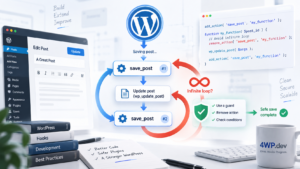
Transform code quality checking into an automated habit through proper IDE and development tools configuration.
Installing WordPress Coding Standards
Method 1: Via Composer (Recommended)
# Global installation
composer global require "squizlabs/php_codesniffer=*"
composer global require wp-coding-standards/wpcs

# For specific project
composer require --dev squizlabs/php_codesniffer
composer require --dev wp-coding-standards/wpcs
Method 2: Via Manual Download
# Download PHPCS
git clone https://github.com/squizlabs/PHP_CodeSniffer.git phpcs
git clone https://github.com/WordPress/WordPress-Coding-Standards.git wpcs

# Register standards
./phpcs/bin/phpcs --config-set installed_paths /path/to/wpcs
Verify Installation
phpcs -i
# Should show: WordPress-Core, WordPress-Extra, WordPress-VIP
Project Configuration
Creating phpcs.xml
<?xml version="1.0"?>
<ruleset name="Custom WordPress Coding Standards">
    <description>WordPress coding standards for our project</description>

    <!-- What to scan -->
    <file>.</file>

    <!-- Exclude paths -->
    <exclude-pattern>/vendor/</exclude-pattern>
    <exclude-pattern>/node_modules/</exclude-pattern>
    <exclude-pattern>*.min.js</exclude-pattern>
    <exclude-pattern>*.min.css</exclude-pattern>

    <!-- Use WordPress-Extra rules -->
    <rule ref="WordPress-Extra">
        <!-- Exclude specific sniffs -->
        <exclude name="WordPress.PHP.YodaConditions"/>
        <exclude name="Generic.WhiteSpace.DisallowSpaceIndent"/>
    </rule>

    <!-- Check PHP version compatibility -->
    <config name="minimum_supported_wp_version" value="5.0"/>
    <config name="testVersion" value="7.4-"/>

    <!-- Prefix checks -->
    <rule ref="WordPress.NamingConventions.PrefixAllGlobals">
        <properties>
            <property name="prefixes" type="array">
                <element value="starry"/>
                <element value="fourwp"/>
                <element value="wordpress_mcp"/>
                <element value="WPMCP"/>
            </property>
        </properties>
    </rule>
</ruleset>
VS Code Setup
Install Extensions
// .vscode/extensions.json
{
    "recommendations": [
        "ikappas.phpcs",
        "valeryanm.vscode-phpsab",
        "bmewburn.vscode-intelephense-client"
    ]
}
Workspace Configuration
// .vscode/settings.json
{
    "phpcs.enable": true,
    "phpcs.standard": "./phpcs.xml",
    "phpcs.executablePath": "vendor/bin/phpcs",
    "phpcbf.enable": true,
    "phpcbf.executablePath": "vendor/bin/phpcbf",
    "phpcs.showSources": true,
    "editor.formatOnSave": true,
    "[php]": {
        "editor.defaultFormatter": "valeryanm.vscode-phpsab"
    }
}
VS Code Practical Example
<?php
// ❌ This code will trigger WPCS errors in VS Code

function getUserData($id) {  // ❌ Missing prefix
    global $wpdb;

    $sql = "SELECT * FROM users WHERE id = " . $id;  // ❌ SQL injection
    $result = $wpdb->get_results($sql);

    echo $result[0]->name;  // ❌ Not escaped output

    return $result;
}

// ✅ Correct code with starry_ prefix
function starry_get_user_data($id) {
    global $wpdb;

    $sql = $wpdb->prepare("SELECT * FROM {$wpdb->users} WHERE ID = %d", $id);
    $result = $wpdb->get_results($sql);

    if (!empty($result)) {
        echo esc_html($result[0]->display_name);
    }

    return $result;
}
PhpStorm Setup
Installation and Configuration
1. Open Settings (Ctrl+Alt+S)
2. Code Quality Tools → PHP_CodeSniffer:
Path to phpcs: /path/to/vendor/bin/phpcs
Path to phpcbf: /path/to/vendor/bin/phpcbf
3. Editor → Inspections → PHP → Quality Tools:
✅ PHP_CodeSniffer validation
Coding standard: Custom
Configuration file: ./phpcs.xml
4. Auto-formatting setup:
Tools → External Tools → Add:
Name: PHPCBF Fix
Program: vendor/bin/phpcbf
Arguments: --standard=./phpcs.xml $FilePath$
Working directory: $ProjectFileDir$
PhpStorm Practical Workflow
<?php
/**
 * PhpStorm will highlight issues in real-time
 */

class UserManager {  // ❌ PhpStorm shows: "Missing prefix"

    public function get_data() {  // ❌ "Method name should be camelCase"
        $data = $_GET['user_data'];  // ❌ "Direct superglobal access"

        return $data;  // ❌ "Data not sanitized"
    }
}

// After Ctrl+Alt+L (reformat) + PHPCBF fix:
class WPMCP_User_Manager {  // ✅

    public function getData() {  // ✅
        $data = isset($_GET['user_data']) ?
            sanitize_text_field(wp_unslash($_GET['user_data'])) : '';  // ✅

        return $data;
    }
}

// Or functional approach:
function wordpress_mcp_get_user_data() {  // ✅
    return isset($_GET['user_data']) ?
        sanitize_text_field(wp_unslash($_GET['user_data'])) : '';
}
Daily Usage
Basic Commands
# Check entire project
phpcs --standard=./phpcs.xml .

# Check specific file
phpcs --standard=./phpcs.xml wp-content/themes/starry/functions.php

# Auto-fix errors
phpcbf --standard=./phpcs.xml .

# Detailed report
phpcs --standard=./phpcs.xml --report=full .

# Summary report
phpcs --standard=./phpcs.xml --report=summary .
Git Hooks Integration
#!/bin/sh
# .git/hooks/pre-commit
echo "Running WordPress Coding Standards check..."

phpcs_output=$(phpcs --standard=./phpcs.xml --report=csv .)

if [ $? -ne 0 ]; then
    echo "❌ WPCS violations found. Please fix before committing:"
    echo "$phpcs_output"
    exit 1
fi

echo "✅ Code passes WordPress Coding Standards"
exit 0
Real-world Example from Starry Theme
// File: wp-content/themes/starry/inc/assets.php
// ✅ Correct: function has starry_ prefix
function starry_enqueue_assets() {
    $theme_version = wp_get_theme()->get('Version');
    $is_dev = starry_is_development(); // ✅ Correct: also prefixed

    if ($is_dev) {
        // Development assets (unminified, with source maps)
        wp_enqueue_style(
            'starry-style',
            get_template_directory_uri() . '/assets/css/main.css',
            array(),
            time() // No caching in dev
        );
    } else {
        // Production assets (minified, cached)
        wp_enqueue_style(
            'starry-style',
            get_template_directory_uri() . '/assets/css/main.min.css',
            array(),
            $theme_version
        );
    }

    // Localize script for AJAX
    wp_localize_script('starry-script', 'starryAjax', array(
        'ajaxurl' => admin_url('admin-ajax.php'),
        'nonce' => wp_create_nonce('starry_nonce'),
        'isDev' => $is_dev
    ));
}
add_action('wp_enqueue_scripts', 'starry_enqueue_assets');
Overall Concept Vision
✅ Local Setup Benefits:
- Instant feedback while writing code
- Automatic formatting and fixing
- Learning through IDE hints
- Prevent issues before commit
- Team unification across development environments
❌ Common Issues:
- Initial configuration complexity
- Different PHP_CodeSniffer versions across team
- Performance impact on large projects
- False positives in legacy code
? Best Practices:
- Use
.phpcs.xmlfor each project - Configure auto-fix on save in IDE
- Exclude vendor and build directories
- Create team-wide settings via
.vscode/settings.json
? Troubleshooting:
# If phpcs can't find WordPress standards
phpcs --config-show
phpcs --config-set installed_paths /path/to/wpcs

# If VS Code doesn't see phpcs
which phpcs
# Add full path to settings.json
Practical Application
The local development setup transforms code quality checking from a painful manual process into an automated habit. Both VS Code and PhpStorm provide instant feedback, while the phpcs.xml file ensures consistency across the entire team.
Configuration based on real projects:
- Starry theme uses
starry_prefix - 4WP projects use
fourwp_prefix - WordPress MCP plugin uses
wordpress_mcp_andWPMCPprefixes
This approach ensures your code meets WordPress.org submission standards from day one, while teaching best practices through real-time IDE integration.
Summary
Proper WordPress Coding Standards setup in local development environment transforms code quality control from reactive checking to proactive prevention. IDE integration provides immediate feedback, automated fixing reduces manual work, and consistent configuration ensures team-wide code quality standards.
Next Step: Team environment setup with pre-commit hooks and CI/CD integration.