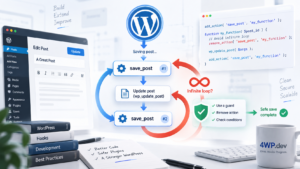
WordPress Coding Standards: Team Environment & GitHub Actions Setup
Automate code quality enforcement across your team with server-side validation through GitHub Actions and reusable repository templates.
Creating Reusable GitHub Actions Workflow
GitHub Actions Configuration
File: .github/workflows/wpcs.yml
name: WordPress Coding Standards

on:
  push:
    branches: [ main, develop ]
  pull_request:
    branches: [ main, develop ]
  workflow_dispatch:

jobs:
  phpcs:
    name: PHPCS Check
    runs-on: ubuntu-latest

    strategy:
      matrix:
        php-version: [7.4, 8.0, 8.1, 8.2]

    steps:
    - name: Checkout code
      uses: actions/checkout@v4

    - name: Setup PHP
      uses: shivammathur/setup-php@v2
      with:
        php-version: ${{ matrix.php-version }}
        extensions: mbstring, intl
        coverage: none
        tools: composer:v2

    - name: Cache Composer dependencies
      uses: actions/cache@v3
      with:
        path: /tmp/composer-cache
        key: ${{ runner.os }}-${{ hashFiles('**/composer.lock') }}

    - name: Install dependencies
      run: |
        composer install --prefer-dist --no-progress --no-interaction

    - name: Run PHPCS
      run: |
        vendor/bin/phpcs --standard=phpcs.xml --report=checkstyle --report-file=phpcs-report.xml .

    - name: Show PHPCS results
      if: failure()
      run: |
        vendor/bin/phpcs --standard=phpcs.xml --report=summary .

    - name: Upload PHPCS results
      if: always()
      uses: actions/upload-artifact@v3
      with:
        name: phpcs-results-${{ matrix.php-version }}
        path: phpcs-report.xml
Advanced Workflow with Auto-fix
name: WordPress Coding Standards with Auto-fix

on:
  push:
    branches: [ main, develop ]
  pull_request:
    branches: [ main, develop ]

jobs:
  phpcs-check:
    name: Check & Auto-fix PHPCS
    runs-on: ubuntu-latest

    steps:
    - name: Checkout code
      uses: actions/checkout@v4
      with:
        token: ${{ secrets.GITHUB_TOKEN }}

    - name: Setup PHP
      uses: shivammathur/setup-php@v2
      with:
        php-version: 8.1
        tools: composer:v2

    - name: Install dependencies
      run: composer install --prefer-dist --no-progress

    - name: Run PHPCS
      id: phpcs
      run: |
        if ! vendor/bin/phpcs --standard=phpcs.xml .; then
          echo "phpcs_failed=true" >> $GITHUB_OUTPUT
          exit 1
        fi
      continue-on-error: true

    - name: Auto-fix with PHPCBF
      if: steps.phpcs.outputs.phpcs_failed == 'true'
      run: |
        vendor/bin/phpcbf --standard=phpcs.xml . || true

    - name: Check if files were modified
      if: steps.phpcs.outputs.phpcs_failed == 'true'
      id: git-check
      run: |
        if [[ -n $(git status --porcelain) ]]; then
          echo "files_changed=true" >> $GITHUB_OUTPUT
        fi

    - name: Commit auto-fixes
      if: steps.git-check.outputs.files_changed == 'true'
      run: |
        git config --local user.email "action@github.com"
        git config --local user.name "GitHub Action"
        git add .
        git commit -m "Auto-fix PHPCS violations"
        git push

    - name: Re-run PHPCS after fixes
      if: steps.phpcs.outputs.phpcs_failed == 'true'
      run: vendor/bin/phpcs --standard=phpcs.xml .
4wp-wpcs-template Repository Structure
Complete Template Repository
4wp-wpcs-template/
├── .github/
│   ├── workflows/
│   │   ├── wpcs.yml
│   │   ├── deploy.yml
│   │   └── pr-checks.yml
│   └── PULL_REQUEST_TEMPLATE.md
├── .vscode/
│   ├── settings.json
│   └── extensions.json
├── phpcs.xml
├── composer.json
├── package.json
├── .gitignore
├── .editorconfig
└── README.md
Template Configuration Files
File: phpcs.xml
<?xml version="1.0"?>
<ruleset name="4WP WordPress Coding Standards">
    <description>WordPress coding standards for 4WP projects</description>

    <!-- What to scan -->
    <file>.</file>

    <!-- Exclude paths -->
    <exclude-pattern>/vendor/</exclude-pattern>
    <exclude-pattern>/node_modules/</exclude-pattern>
    <exclude-pattern>/build/</exclude-pattern>
    <exclude-pattern>*.min.js</exclude-pattern>
    <exclude-pattern>*.min.css</exclude-pattern>
    <exclude-pattern>/tests/</exclude-pattern>

    <!-- Arguments -->
    <arg value="sp"/>
    <arg name="basepath" value="./"/>
    <arg name="colors"/>
    <arg name="extensions" value="php"/>
    <arg name="parallel" value="8"/>

    <!-- Rules: WordPress Coding Standards -->
    <config name="minimum_supported_wp_version" value="5.0"/>
    <config name="testVersion" value="7.4-"/>

    <rule ref="WordPress-Extra">
        <!-- Exclude specific sniffs based on project needs -->
        <exclude name="WordPress.PHP.YodaConditions"/>
        <exclude name="Generic.WhiteSpace.DisallowSpaceIndent"/>
        <exclude name="WordPress.Files.FileName"/>
    </rule>

    <!-- Prefix checks for 4WP projects -->
    <rule ref="WordPress.NamingConventions.PrefixAllGlobals">
        <properties>
            <property name="prefixes" type="array">
                <element value="fourwp"/>
                <element value="4wp"/>
                <element value="FourWP"/>
            </property>
        </properties>
    </rule>

    <!-- Text domain checks -->
    <rule ref="WordPress.WP.I18n">
        <properties>
            <property name="text_domain" type="array">
                <element value="fourwp"/>
            </property>
        </properties>
    </rule>
</ruleset>
File: composer.json
{
    "name": "4wp/wpcs-template",
    "description": "WordPress Coding Standards template for 4WP projects",
    "type": "project",
    "license": "GPL-2.0-or-later",
    "require-dev": {
        "squizlabs/php_codesniffer": "^3.13",
        "wp-coding-standards/wpcs": "^3.0",
        "phpcompatibility/php-compatibility": "^9.0",
        "dealerdirect/phpcodesniffer-composer-installer": "^1.0"
    },
    "scripts": {
        "lint": "phpcs --standard=phpcs.xml .",
        "lint:fix": "phpcbf --standard=phpcs.xml .",
        "lint:report": "phpcs --standard=phpcs.xml --report=summary .",
        "post-install-cmd": [
            "phpcs --config-set installed_paths vendor/wp-coding-standards/wpcs,vendor/phpcompatibility/php-compatibility"
        ]
    },
    "config": {
        "allow-plugins": {
            "dealerdirect/phpcodesniffer-composer-installer": true
        }
    }
}
Branch Protection Rules Setup
GitHub Repository Settings
1. Navigate to Settings → Branches
2. Add Rule for main branch:
Branch name pattern: main

✅ Restrict pushes that create files larger than 100MB
✅ Require a pull request before merging
    ✅ Require approvals: 1
    ✅ Dismiss stale PR approvals when new commits are pushed
    ✅ Require review from code owners

✅ Require status checks to pass before merging
    ✅ Require branches to be up to date before merging
    Status checks:
    - PHPCS Check (7.4)
    - PHPCS Check (8.0)
    - PHPCS Check (8.1)
    - PHPCS Check (8.2)

✅ Require conversation resolution before merging
✅ Include administrators
Pull Request Template
File: .github/PULL_REQUEST_TEMPLATE.md
## Description
Brief description of changes

## Type of Change
- [ ] Bug fix
- [ ] New feature
- [ ] Breaking change
- [ ] Documentation update

## WordPress Coding Standards
- [ ] Code follows WordPress Coding Standards
- [ ] PHPCS checks pass locally
- [ ] No new PHP compatibility issues

## Testing
- [ ] Tested locally
- [ ] Tested on staging environment

## Screenshots (if applicable)

## Checklist
- [ ] Code is properly documented
- [ ] Functions have proper prefixes
- [ ] All user inputs are sanitized
- [ ] All outputs are escaped
Daily Team Workflow
For New Projects
# 1. Create new repository from template
gh repo create my-new-project --template 4wp/4wp-wpcs-template

# 2. Clone and setup
git clone https://github.com/yourorg/my-new-project.git
cd my-new-project

# 3. Install dependencies
composer install
npm install

# 4. Configure project-specific settings
# Update phpcs.xml prefixes
# Update composer.json name/description
# Update README.md

# 5. Test WPCS setup
composer run lint
For Existing Projects
# 1. Copy configuration files from template
curl -O https://raw.githubusercontent.com/4wp/4wp-wpcs-template/main/.github/workflows/wpcs.yml
curl -O https://raw.githubusercontent.com/4wp/4wp-wpcs-template/main/phpcs.xml
curl -O https://raw.githubusercontent.com/4wp/4wp-wpcs-template/main/composer.json

# 2. Install dependencies
composer install

# 3. Run initial check
composer run lint

# 4. Fix issues
composer run lint:fix
Real-world Integration Examples
WordPress Plugin Structure
<?php
/**
 * Plugin Name: 4WP Example Plugin
 * Description: Example plugin following 4WP coding standards
 * Version: 1.0.0
 * Text Domain: fourwp-example
 */

// Prevent direct access
if (!defined('ABSPATH')) {
    exit;
}

// Define plugin constants with proper prefix
define('FOURWP_EXAMPLE_VERSION', '1.0.0');
define('FOURWP_EXAMPLE_PLUGIN_DIR', plugin_dir_path(__FILE__));

/**
 * Main plugin class with proper prefix
 */
class FourWP_Example_Plugin {

    /**
     * Initialize the plugin
     */
    public function __construct() {
        add_action('init', array($this, 'init'));
    }

    /**
     * Plugin initialization
     */
    public function init() {
        load_plugin_textdomain(
            'fourwp-example',
            false,
            dirname(plugin_basename(__FILE__)) . '/languages'
        );
    }
}

// Initialize plugin
new FourWP_Example_Plugin();
WordPress Theme Integration
<?php
/**
 * Theme functions with proper 4WP prefixing
 */

/**
 * Theme setup function
 */
function fourwp_theme_setup() {
    // Add theme support
    add_theme_support('post-thumbnails');
    add_theme_support('html5', array('gallery', 'caption'));

    // Register navigation menus
    register_nav_menus(array(
        'primary' => esc_html__('Primary Menu', 'fourwp-theme'),
        'footer'  => esc_html__('Footer Menu', 'fourwp-theme'),
    ));
}
add_action('after_setup_theme', 'fourwp_theme_setup');

/**
 * Enqueue scripts and styles
 */
function fourwp_enqueue_assets() {
    wp_enqueue_style(
        'fourwp-style',
        get_stylesheet_uri(),
        array(),
        wp_get_theme()->get('Version')
    );

    wp_enqueue_script(
        'fourwp-script',
        get_template_directory_uri() . '/assets/js/main.js',
        array('jquery'),
        wp_get_theme()->get('Version'),
        true
    );
}
add_action('wp_enqueue_scripts', 'fourwp_enqueue_assets');
Overall Concept Vision
✅ GitHub Actions Benefits:
- Automated quality control on every push/PR
- Consistent standards across all team members
- Blocked merges for non-compliant code
- Matrix testing across PHP versions
- Reusable template for all 4WP projects
❌ Common Challenges:
- GitHub Actions minutes consumption
- Build time increases
- False positives blocking legitimate code
- Learning curve for team members
? Best Practices:
- Use caching for faster builds
- Run PHPCS only on changed PHP files
- Configure proper branch protection rules
- Maintain updated
4wp-wpcs-template - Regular team training on standards
? Troubleshooting GitHub Actions:
# Debug workflow issues
- name: Debug PHPCS
  run: |
    composer --version
    php --version
    vendor/bin/phpcs --version
    vendor/bin/phpcs --config-show

# Check file permissions
- name: Check file structure
  run: |
    ls -la
    ls -la vendor/bin/
Practical Application
The 4wp-wpcs-template repository serves as a single source of truth for WordPress Coding Standards across all 4WP projects. Team members can quickly bootstrap new projects or retrofit existing ones with proven CI/CD workflows.
Template benefits:
- Instant setup for new WordPress projects
- Consistent configuration across all repositories
- Automated quality gates preventing bad code merges
- Team onboarding simplified through standardization
This approach transforms code quality from individual responsibility to automated team enforcement, ensuring every line of code meets WordPress standards before reaching production.
Summary
Implementing WordPress Coding Standards at the team level through GitHub Actions and template repositories creates a robust quality control system. The 4wp-wpcs-template provides a reusable foundation that enforces standards automatically, while GitHub branch protection rules ensure compliance before code merges.
This server-side validation complements local development tools, creating a comprehensive quality assurance pipeline from development to deployment.