
questions
FAQ hub aggregating questions from hooks, plugins, jobs, SOLID and WP-CLI sections — for interview prep, code review, and hiring WordPress developers.
Are drafts included?
Yes, drafts are also scanned and shown as sources. Status is visible in the “Used in” list on FAQ Cards when sources are enabled.
Used in
4WP FAQ Page
How do category filters stay in sync?
List and Categories share include/exclude even when they sit in different columns. Two categories on the List → the same two in the nav. More on the nav → the List includes those too. Empty include on one side inherits the other; empty on both means all categories. All categories always shows that synced set, not a different universe of questions.
Used in
4WP FAQ Page
How does the plugin find FAQ items?
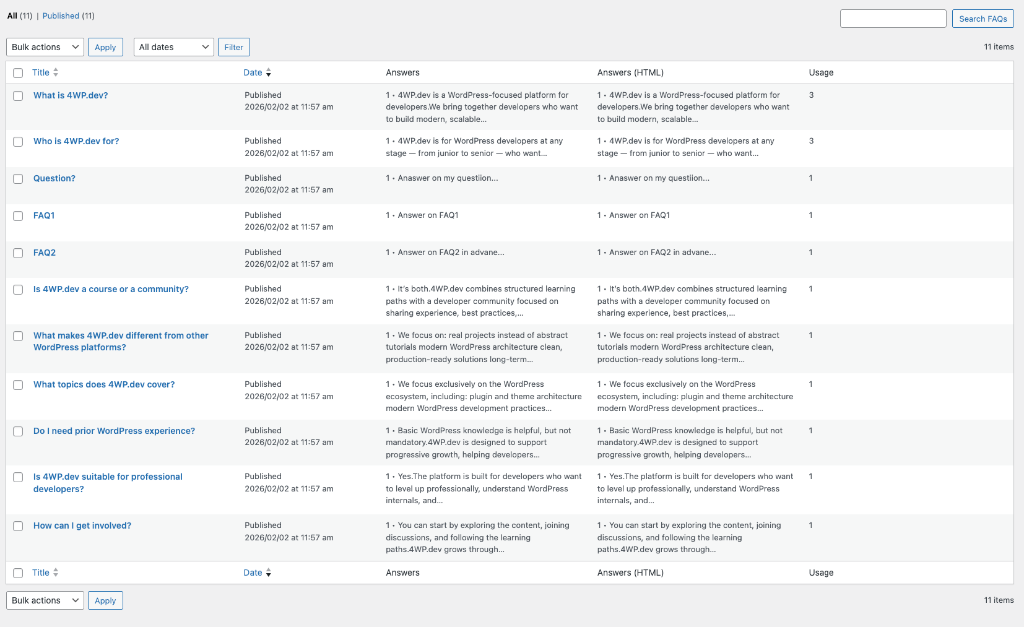
It scans all posts looking for forwp/faq wrapper. Inside, it takes Accordion items/Details blocks and extracts: question, answer, post_id, post_type, and permalink.
Used in
4WP FAQ Page
How to build a FAQ hub?
Complete registry setup, run a rescan, then in the Site Editor add 4WP FAQ Categories (sidebar) and 4WP FAQ List (main column). Optionally add a core Search block and turn on 4WP FAQ → Filter 4WP FAQ List. Questions stay on the real pages; the hub only reads the registry.
Used in
4WP FAQ Page
How to convert Accordion to FAQ?
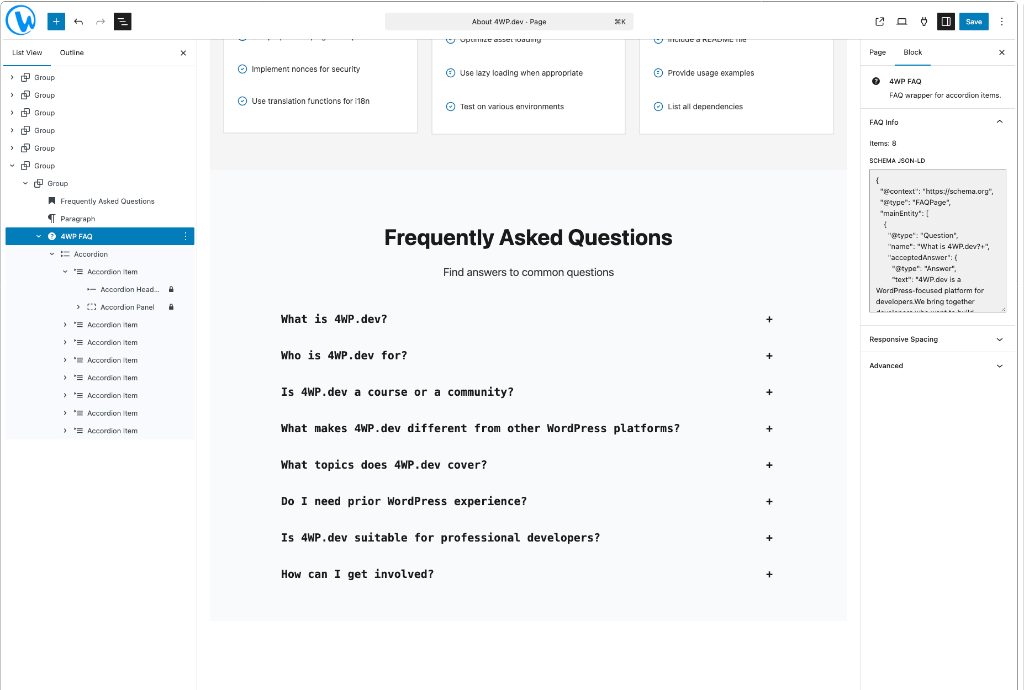
Add core Accordion (or item) → Click “Convert to FAQ” → Plugin wraps it in forwp/faq without changing appearance.
Used in
4WP FAQ Page
How to reuse questions?
Reuse today means the hub: the same registry questions render on a glossary page via 4WP FAQ List. Auto-inserting a question into a new Accordion is still on the roadmap.
Used in
4WP FAQ Page
How to track expansions?
Potential next stage: click tracking. It gives understanding of which questions are actually “live”.
Used in
4WP FAQ Page
Questions from 4WP.dev About
- What is 4WP.dev? Platform for WordPress developers with docs, courses, patterns.
- How do I start learning? Start with Knowledge Base, pick a path, move to courses.
- Is the content free? Most content is free, some advanced courses may require subscription.
Used in
4WP FAQ Page
SEO-friendly category URLs?
Off by default: filter in place, URL unchanged. On: one extra path segment after the current page, e.g. /faq/for-companies/. Opening that URL directly shows only that category. The “All categories” link returns to the host page.
Used in
4WP FAQ Page
What are List, Card, and Categories?
- 4WP FAQ List (
forwp/faq-list) — grouped by category or a single list. Include/exclude taxonomy terms. - 4WP FAQ Card (
forwp/faq-card) — inner template of the List: accordion or heading + answer. Optional “Used in” source links and post-type label. - 4WP FAQ Categories (
forwp/faq-categories) — vertical or horizontal nav. All categories is a replaceable label that still shows the full synced list.
Used in
4WP FAQ Page
What is 4WP-FAQ?
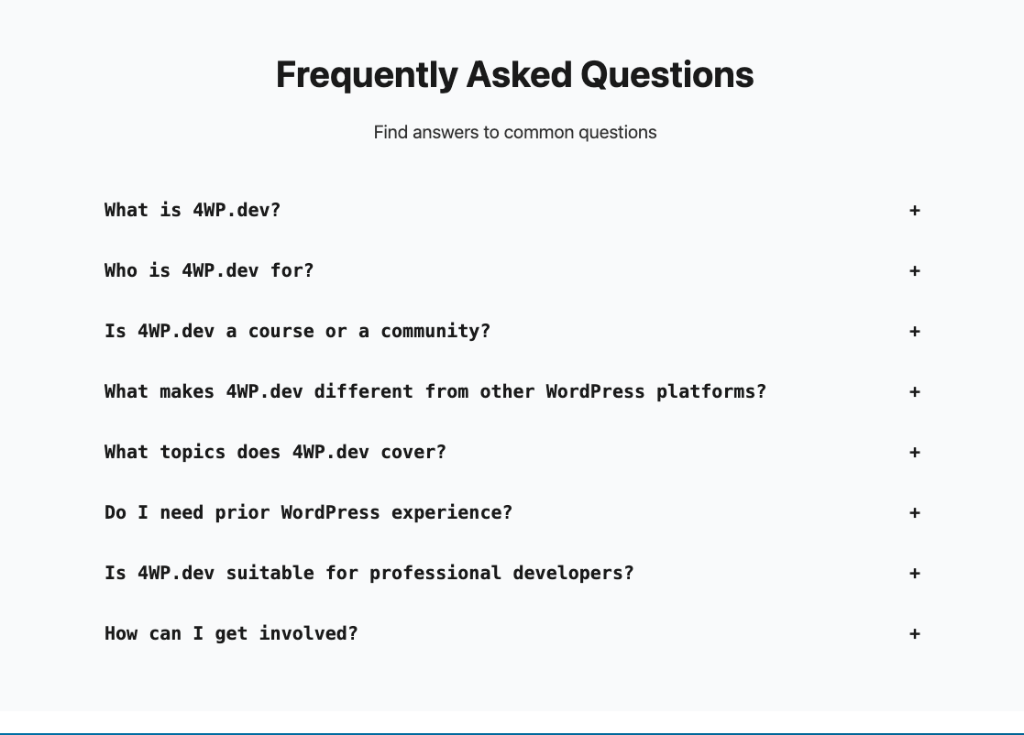
A smart wrapper around WordPress core Accordion that adds intelligence without breaking design. It adds Schema JSON-LD, an optional question registry, and FSE hub blocks (List, Card, Categories) while working on top of existing content with zero duplication.
Used in
4WP FAQ Page
Where to preview Schema JSON-LD?
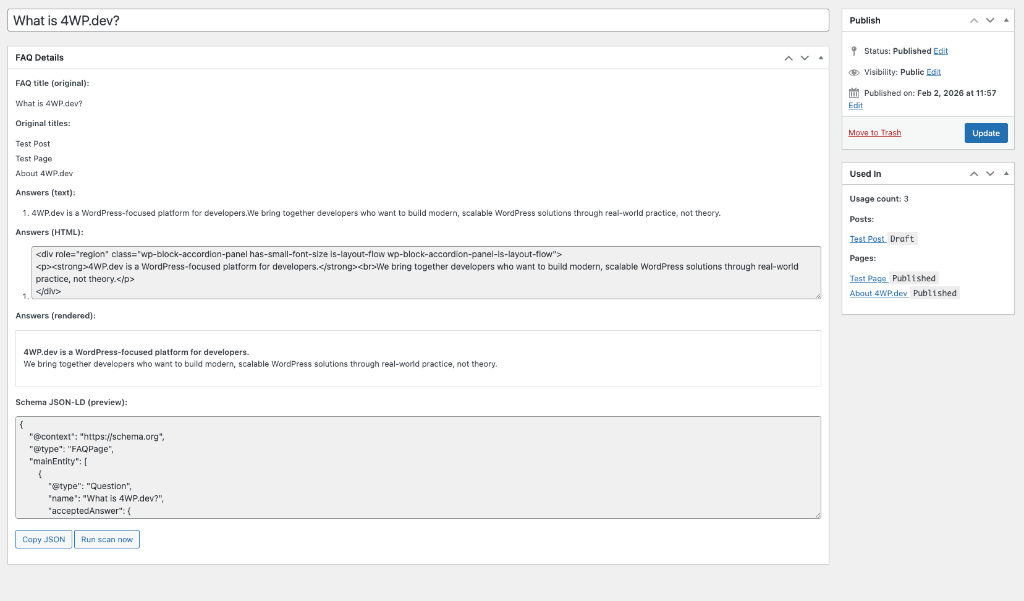
In the FAQ-CPT page metabox, there is a JSON-LD preview. Copy it with one click. It represents what the plugin generates on the frontend.
Used in
4WP FAQ Page
Why not just another FAQ block?
Because the source of truth is your actual content pages. We do not create duplicates – we read facts from real pages. This gives transparent insight into where questions live, in which posts, and in what versions.
Used in
4WP FAQ Page
No questions found. Try another search.
Smart FAQ Management
4WP FAQ
Not just another FAQ block. A smart wrapper that adds intelligence
without breaking your design.