
Anyone Can Type Here: The 3 Hooks That Decide What a WordPress Comment Becomes
The Problem A comment form is the one place on most WordPress sites where an anonymous visitor’s text ends up stored in the database and rendered back to…
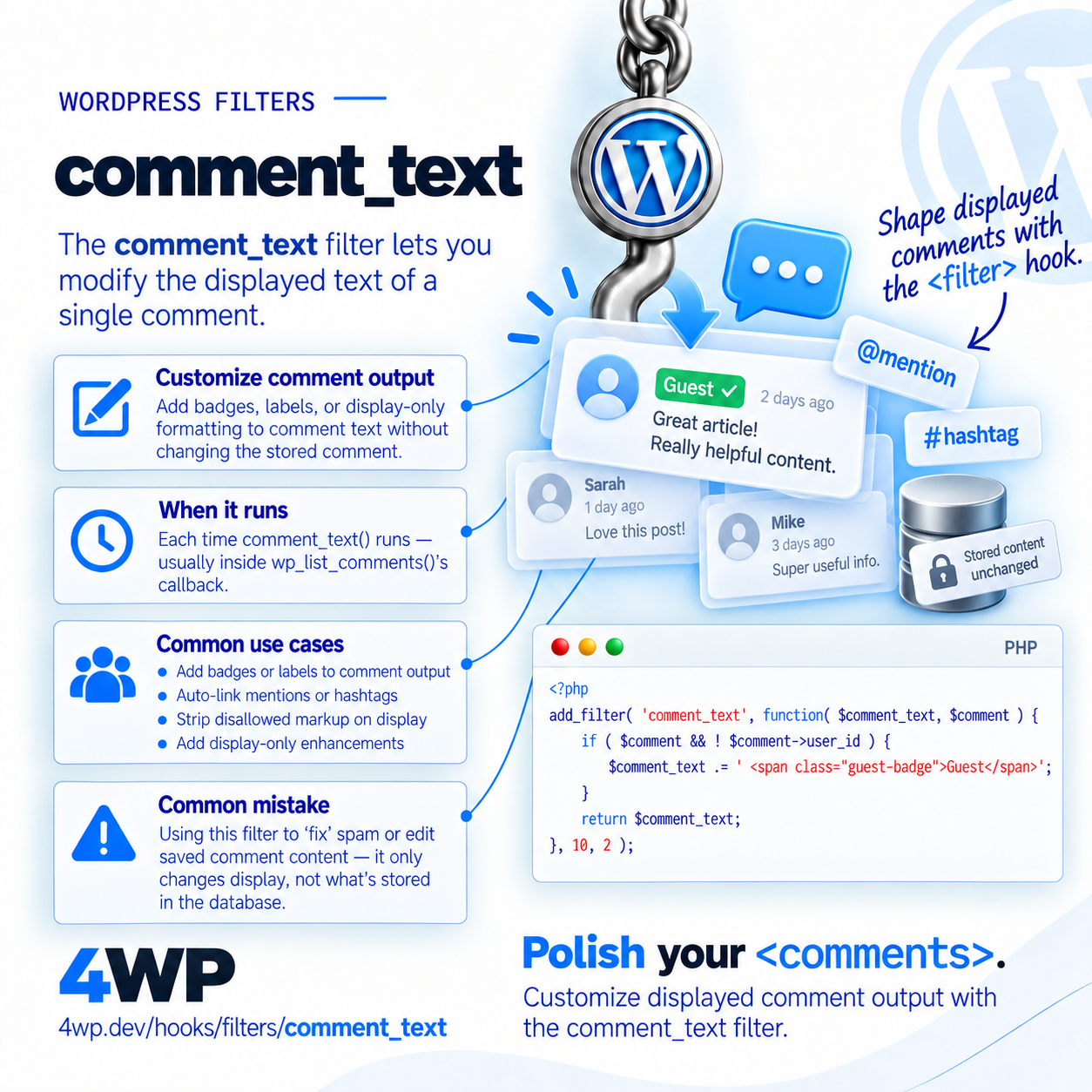
Filter Hook since 0.71
Filters the displayed text of a single comment
comment_text is where you'd add nofollow to links, auto-linkify text, or moderate content on display — it doesn't change what's stored in the database.
Each time comment_text() runs — usually inside wp_list_comments()'s callback.
apply_filters( 'comment_text', string $comment_text, WP_Comment|null $comment, array $args );$comment_text string — Comment content.$comment WP_Comment|null — The comment object.$args array — Arguments passed to comment_text().add_filter( 'comment_text', function( $comment_text, $comment ) {
if ( $comment && ! $comment->user_id ) {
$comment_text .= '<span class="guest-badge">Guest</span>';
}
return $comment_text;
}, 10, 2 );Append a 'Guest' badge to comments from non-registered users.
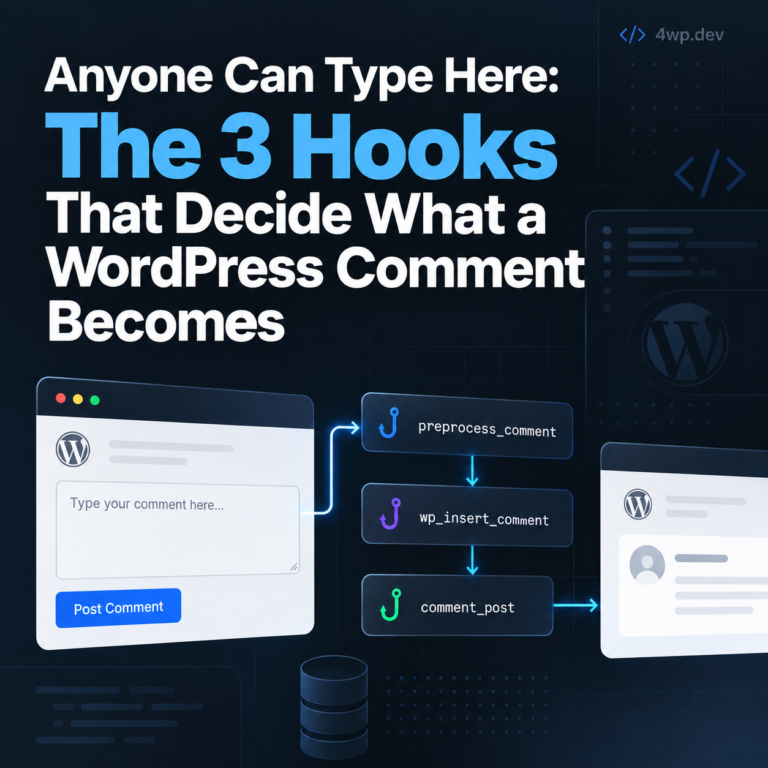
The Problem A comment form is the one place on most WordPress sites where an anonymous visitor’s text ends up stored in the database and rendered back to…
No — it only changes what's rendered on display. The database row is untouched.
Source: wp-includes/comment-template.php
One session: this hook, then each related_hooks entry. Walk it and tell us what to change.
comment_text → the_content
Practice the comment_text WordPress filter hook in our interactive sandbox — a VS Code-style editor with a step-by-step comment_text tutorial, add_filter exercises, and instant feedback. No local WordPress install required.