
The Front Door You Forgot You Built: What These 5 REST API Hooks Actually Gate
The Problem Every WordPress install answers REST requests at /wp-json/ whether or not anyone deliberately built an API — and most sites have at least one custom field,…
Filter Hook since 4.7.0
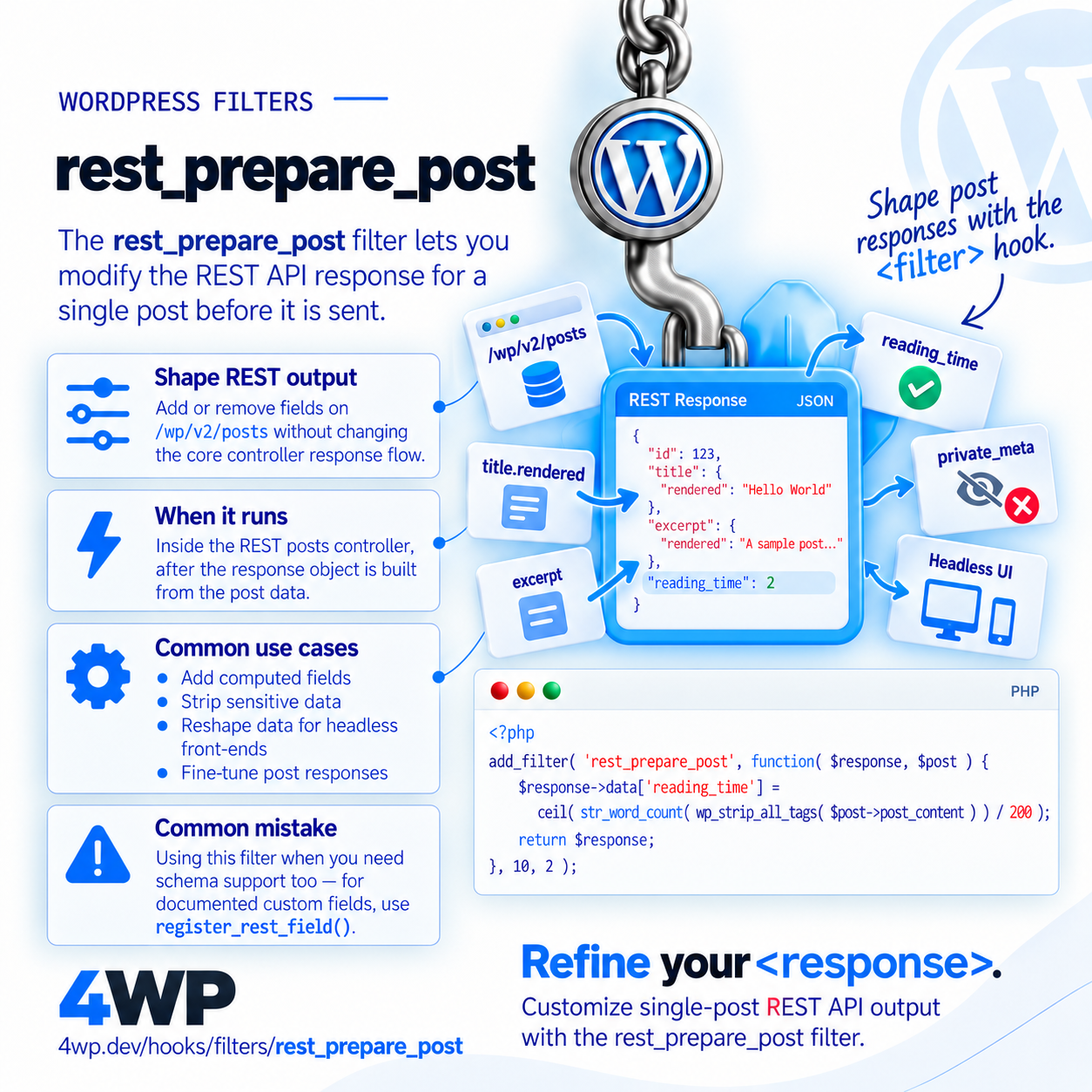
Filters the REST API response for a single post before it's sent
rest_prepare_post lets you add or remove fields on the /wp/v2/posts response without touching register_rest_field — useful for last-mile shaping of what the API returns.
Inside the REST posts controller, after the response object is built from the post data.
apply_filters( 'rest_prepare_post', WP_REST_Response $response, WP_Post $post, WP_REST_Request $request );$response WP_REST_Response — The response object.$post WP_Post — The post object.$request WP_REST_Request — The request object.add_filter( 'rest_prepare_post', function( $response, $post ) {
$response->data['reading_time'] = ceil( str_word_count( $post->post_content ) / 200 );
return $response;
}, 10, 2 );Add a computed reading-time field to the REST response.

The Problem Every WordPress install answers REST requests at /wp-json/ whether or not anyone deliberately built an API — and most sites have at least one custom field,…
register_rest_field is the documented way to add a field with schema support; rest_prepare_post is a lower-level filter for quick tweaks or removing/reshaping existing fields.
Source: wp-includes/rest-api/endpoints/class-wp-rest-posts-controller.php
One session: this hook, then each related_hooks entry. Walk it and tell us what to change.
rest_prepare_post → rest_api_init
Practice the rest_prepare_post WordPress filter hook in our interactive sandbox — a VS Code-style editor with a step-by-step rest_prepare_post tutorial, add_filter exercises, and instant feedback. No local WordPress install required.