
Filter Hook since 3.5.0
cron_request
Filters the HTTP request WordPress uses to spawn WP-Cron
Description
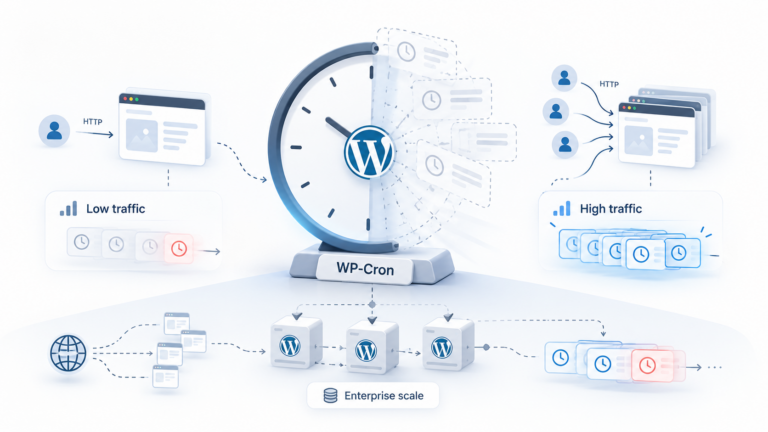
cron_request controls the loopback HTTP request WordPress fires to trigger wp-cron.php in the background — the standard hook for disabling that self-ping when cron is driven by a real system cron job instead.
When it runs
Runs in spawn_cron(), right before WordPress fires the loopback request that kicks off pending cron events.
Signature
apply_filters( 'cron_request', array $cron_request_array, string $doing_wp_cron );Parameters
cron_request_arrayarray — Array with 'url' and 'args' keys describing the loopback request.doing_wp_cronstring — The DOING_CRON timestamp value passed to identify the cron request.
Examples
Basic
add_filter( 'cron_request', function( $request ) {
error_log( 'Cron spawn request: ' . $request['url'] );
return $request;
} );Log every time WordPress tries to spawn its own cron request.
Real case
add_filter( 'cron_request', function( $request ) {
$request['args']['timeout'] = 30;
return $request;
} );Extend the timeout for the cron-spawn request on a site with slow cron jobs.
Edge case
add_filter( 'cron_request', function( $request ) {
// On a site with DISABLE_WP_CRON true and a real system cron
// hitting wp-cron.php directly, this filter never even runs.
return $request;
} );If DISABLE_WP_CRON is set and a server-level cron job calls wp-cron.php directly, WordPress's own self-ping request is skipped entirely.
Common Use Cases
- Extend the timeout for slow-running cron jobs
- Add authentication headers to the internal cron request
- Log or monitor cron-spawn activity
- Redirect the request when cron runs behind a load balancer or proxy
Common mistakes
- Trying to use this filter to disable cron entirely — that's done with the DISABLE_WP_CRON constant, not this filter
- Not realizing this filter never runs on sites where DISABLE_WP_CRON is set and a real system cron drives wp-cron.php directly
Related hooks
FAQ
Does this filter disable WP-Cron?
No — set the DISABLE_WP_CRON constant to true for that. This filter only adjusts the self-spawned HTTP request's arguments.
Why would I need to touch this on a high-traffic site?
High-traffic sites often disable the default request-triggered cron and drive wp-cron.php via a real system cron instead — this filter is mostly relevant when you still rely on WordPress's own self-ping.
Source: wp-includes/cron.php