
Filter Hook since 2.1.0
cron_schedules
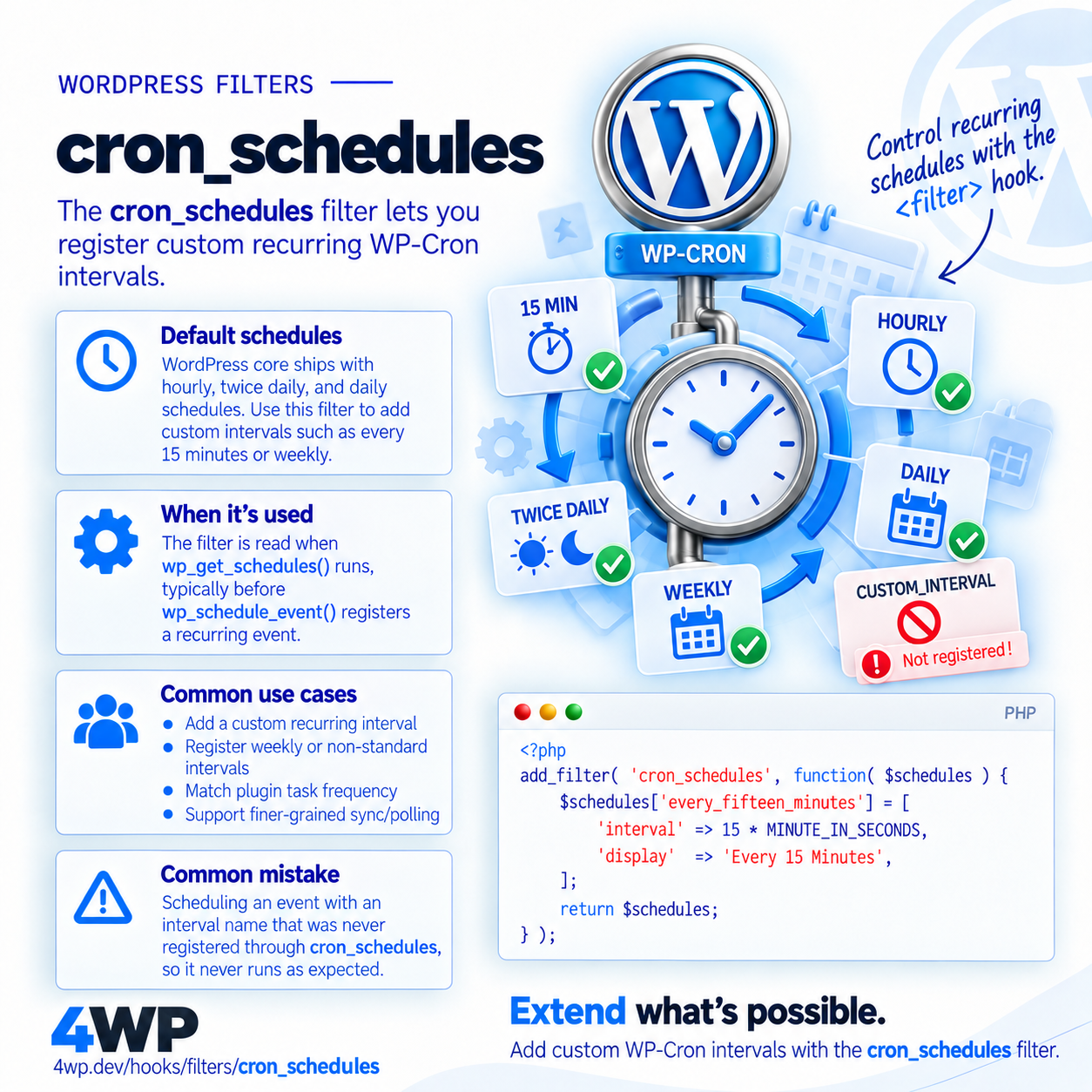
Registers custom cron interval schedules
Description
cron_schedules is the only way to add a custom recurring interval — WordPress ships with hourly, twicedaily, and daily only.
When it runs
Read whenever wp_get_schedules() is called — typically right before wp_schedule_event() registers a recurring event.
Signature
apply_filters( 'cron_schedules', array $schedules );Parameters
$schedulesarray — Existing schedules keyed by interval name, each with 'interval' (seconds) and 'display'.
Examples
Basic
add_filter( 'cron_schedules', function( $schedules ) {
$schedules['every_fifteen_minutes'] = [
'interval' => 15 * MINUTE_IN_SECONDS,
'display' => 'Every 15 Minutes',
];
return $schedules;
} );Register a 15-minute interval that WordPress doesn't ship by default.
Real case
add_action( 'init', function() {
if ( ! wp_next_scheduled( 'my_plugin_sync' ) ) {
wp_schedule_event( time(), 'every_fifteen_minutes', 'my_plugin_sync' );
}
} );Schedule an event using the custom interval — this only works once cron_schedules has registered it.
Common Use Cases
- Add a custom recurring interval (e.g. every 15 minutes)
- Register a weekly or non-standard interval
- Match a plugin's own scheduled task frequency
- Support finer-grained sync/polling than core's daily/hourly options
Common mistakes
- Calling wp_schedule_event() with an interval name that was never registered via cron_schedules — the event is scheduled but silently never runs
Related hooks
FAQ
Why does my custom WP-Cron interval never fire?
Usually cron_schedules wasn't hooked before wp_schedule_event() ran, or the interval key name doesn't match exactly — WordPress silently ignores unknown interval names instead of throwing an error.
Source: wp-includes/cron.php